Difference between revisions of "Calypso Gateway"
m (→Power Struggle) |
m (→Power Struggle) |
||
| Line 123: | Line 123: | ||
Image:Calypso Gateway Thule Help Terminal.jpg|For further info regarding vehicles you can consult the Help Terminal or just the following images and instructions in this section. | Image:Calypso Gateway Thule Help Terminal.jpg|For further info regarding vehicles you can consult the Help Terminal or just the following images and instructions in this section. | ||
Image:Calypso Gateway Thule Help Terminal Menu.jpg|Help Terminal Menu | Image:Calypso Gateway Thule Help Terminal Menu.jpg|Help Terminal Menu | ||
Image:Calypso Gateway Thule Power StruggleVehicle 01.jpg|The vehicle can be found in the inventory {{Keypress|i}}) under the "Miscellaneous" tab. | Image:Calypso Gateway Thule Power StruggleVehicle 01.jpg|'''Vehicle How-to'''<br />The vehicle can be found in the inventory {{Keypress|i}}) under the "Miscellaneous" tab. | ||
Image:Calypso Gateway Thule Power Struggle Vehicle 02.jpg|Right-click it and choose "Spawn vehicle" from the dropdown. | Image:Calypso Gateway Thule Power Struggle Vehicle 02.jpg|'''Vehicle How-to'''<br />Right-click it and choose "Spawn vehicle" from the dropdown. | ||
Image:Calypso Gateway Thule Power Struggle Vehicle 03.jpg|The mouse pointer is replaced with the vehicle, move it to an appropriate place on the ground, if neccessary rotate it by pressing the right mouse button, spawn it by clicking the left mouse button. | Image:Calypso Gateway Thule Power Struggle Vehicle 03.jpg|'''Vehicle How-to'''<br />The mouse pointer is replaced with the vehicle, move it to an appropriate place on the ground, if neccessary rotate it by pressing the right mouse button, spawn it by clicking the left mouse button. | ||
Image:Calypso Gateway Thule Power Struggle Vehicle 04.jpg|The fuel ([[Item:Oil|Oil]]) can be found in the inventory {{Keypress|i}}) under the "Mined Resources" tab. | Image:Calypso Gateway Thule Power Struggle Vehicle 04.jpg|'''Vehicle How-to'''<br />The fuel ([[Item:Oil|Oil]]) can be found in the inventory {{Keypress|i}}) under the "Mined Resources" tab. | ||
Image:Calypso Gateway Thule Power Struggle Vehicle 05.jpg|To add fuel drag'n'drop the Oil icon from the inventory onto the spawned vehicle. | Image:Calypso Gateway Thule Power Struggle Vehicle 05.jpg|'''Vehicle How-to'''<br />To add fuel drag'n'drop the Oil icon from the inventory onto the spawned vehicle. | ||
Image:Calypso Gateway Thule Power Struggle Vehicle 06.jpg|Confirm by clicking the "Ok" button: [[File:Ok.png]] | Image:Calypso Gateway Thule Power Struggle Vehicle 06.jpg|'''Vehicle How-to'''<br />Confirm by clicking the "Ok" button: [[File:Ok.png]] | ||
Image:Calypso Gateway Thule Power Struggle Vehicle 07.jpg|To enter the vehicle right-click it and choose "Operate" from the dropdown, alternatively simply double click it. | Image:Calypso Gateway Thule Power Struggle Vehicle 07.jpg|'''Vehicle How-to'''<br />To enter the vehicle right-click it and choose "Operate" from the dropdown, alternatively simply double click it. | ||
Image:Calypso Gateway Thule Power StruggleVehicle 08.jpg|Cars can be easily steered using {{Keypress|W}} {{Keypress|A}} {{Keypress|S}} {{Keypress|D}} - to exit the vehicle right-click anywhere and choose "Exit Seat" from the dropdown. | Image:Calypso Gateway Thule Power StruggleVehicle 08.jpg|'''Vehicle How-to'''<br />Cars can be easily steered using {{Keypress|W}} {{Keypress|A}} {{Keypress|S}} {{Keypress|D}} - to exit the vehicle right-click anywhere and choose "Exit Seat" from the dropdown. | ||
Image:Calypso Gateway Thule Power Struggle Vehicle 09.jpg|To put the vehicle back into inventory right-click the spawned vehicle and choose "Pick up" from the dropdown. | Image:Calypso Gateway Thule Power Struggle Vehicle 09.jpg|'''Vehicle How-to'''<br />To put the vehicle back into inventory right-click the spawned vehicle and choose "Pick up" from the dropdown. | ||
Image:Calypso Gateway Thule Power Struggle Locate The Unpowered Turret 02.jpg|The unpowered turret can be found at (66843, 71384, 863) | Image:Calypso Gateway Thule Power Struggle Locate The Unpowered Turret 02.jpg|The unpowered turret can be found at (66843, 71384, 863) | ||
Image:Calypso Gateway Thule Power Struggle Replace The Battery.jpg|As soon as you approach the turret the mission is updated with a new objective ("Replace The Battery"). | Image:Calypso Gateway Thule Power Struggle Replace The Battery.jpg|As soon as you approach the turret the mission is updated with a new objective ("Replace The Battery"). | ||
Revision as of 14:33, 20 September 2013
Please note: Calypso Gateway has been completety reworked (as of VU ???). For historic information about the obsolete Calypso Gateway please refer to Calypso Gateway (Old).
Latest Forum Threads
Find more in the Tutorials, Guides and Help forum section! |
Planet Calypso Beginner's Flow: Genesis Alpha Station >>> Crystalline Cavern >>> Calypso Gateway >>> Camp Icarus >>> Port Atlantis
Calypso Gateway is the beginners tutorial area on Planet Calypso after Crystalline Cavern and before Camp Icarus.
General note: The images in this guide will probably not show the visuals you experience because these are depending on graphics setting and time of arrival (there's time of day lighting).
How to get to Calypso Gateway
You can enter Calypso Gateway by leaving the Crystalline Cavern. You are not supposed to go back to the Crystalline Cavern, so you might want to make sure you have finished the Target Practise mission there.
Old player wanting to go through the gateway mission chain? Start there: Crystalline Cavern for old players
Arrival at Calypso Gateway
You arrive at Calypso Gateway approximately at Position (66680, 71404, 878). You can check your position by pressing P. When arriving at Calypso Gateway you should have a mission called "Find Mr Yoshida", check the mission section further below.
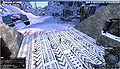
Arriving at Calypso Gateway
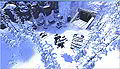
Arrival from above


Calypso Gateway Missions Walktrough
On Calypso Gateway you can go through a set of story-driven tutorial missions which give you a first overview of the game's features and functionality as well as award you a number of items and skills. It is highly recommended to do these missions but there is also and option to bypass the tutorial which is not recommeded, not at last because you are not supposed to get back to Calypso Gateway.
These are the 19 missions:
- Find Mr Yoshida
- Report To Jimmy
- Limited Connectivity
- Pest Eradication
- Power Struggle
- A Message From Yoshida
- Unfinished Business
- Analyzing The Sample
- Fuel My Fire
- Another Message From Yoshida
- Prospective Prospector
- Rifles, Assemble
- Shooting Star
- Inspect-A-Gadget
- That Others May Live
- The Grand Finale
- Hangar Hangout
- A New Beginning
Find Mr Yoshida
Mission page: Mission:Find Mr Yoshida
"Find Mr Yoshida" is the first mission after your arrival on Calypso Gateway and it's a very simple one. You just need to walk a few steps from your point of a arrival towards Mr Yoshida and the mission is done.
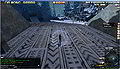
Mr Yoshida is loacted just a few straight steps from the arrival.
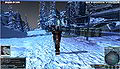
Mr Yoshida is easy to spot by the yellow exclamation mark above his head symbolizing relevancy for progress in a mission.
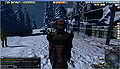
As soon as you approach Mr Yoshida the mission gets completed and you are offered the next mission "Report To Jimmy".


Report To Jimmy
Mission page: Mission:Report To Jimmy
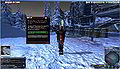
It is not recommended to skip the whole tutorial described on this page and proceed to Camp Icarus, but at this point you have the option.
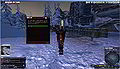
Dialogue
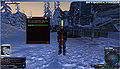
Dialogue
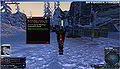
Dialogue
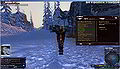
The mission in the Quest/Mission Log
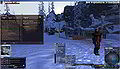
Jimmy is just about ~40m away. He should have a target marker indicating the distance. Also his position appears as a waypoint on the Radar and the Map (press M to open/close the map).
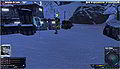
Jimmy at (66732, 71382, 876)
(to display your own postion in the chat window press P)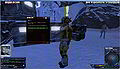
As soon as you approach him the mission gets completed and a dialogue pops up


Limited Connectivity
Mission page: Mission:Limited Connectivity
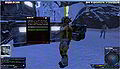
Jimmy at (66732, 71382, 876), as soon as you approach a dialogue should pop up
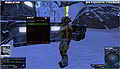
Dialogue (click through)
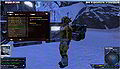
You finally receive the quest which consists of finding a connection issue
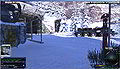
The connection issue is just about 50m to the northwest, follow the waypoint marker on the radar and/or the distance marker on screen
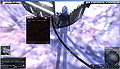
As soon as you approach the location of the connection issue a dialogue pops up and the quest proceeds
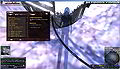
The next tasks is to report back to Jimmey
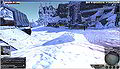
And Jimmy should be located just about 50m to the south-east, follow the waypoint marker on the radar and/or the distance marker on screen
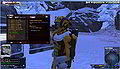
As soon as you approach Jimmy a dialogue pops up, clicking through it completes the quest will finally lead to the next: "Pest Eradication"
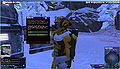
Dialogue (click through)
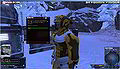
Intro to the next quest "Pest Eradication"
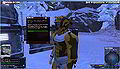
"Limited Connectivity" completed / "Pest Eradication" assigned


Pest Eradication
Mission page: Mission:Pest Eradication The introductionary dialogue to this mission is to be found at the end of the preceding mission "Limited Connectivity".
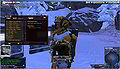
The mission is started as soon as completing the preceding "Limited Connectivity", NPC Jimmy at (66732, 71382, 876). The objective is to kill 3 Pygmy Chompers

To kill creatures you need to equip a weapon:
1. Press I on your keyboard to open the inventory.
2. Click the "Weapons" category (4th from above in the right menu bar of the Inventory window)
3. Right-click the weapon and left-click "Equip" in the dropdown menu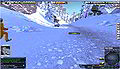
Pygmy Chompers can be found ~100m down the path leading westwards
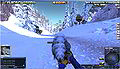
For killing creatures you can switch between two modes by pressing space:
- "Aim mode": aim at creature the with crosshairs, click left mouse-button to shoot
- "Cursor mode": press left mouse button on a creature and drag the health bar, left-click the health bar to shoot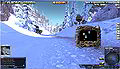
To loot a dead creature in "Aim mode" double-click the carcass or in "Cursor mode", right-click the health bar and choose "Loot" from the dropdown menu, you either get a "no loot" message in the chat or a loot window
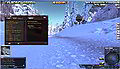
The progress in the mission is tracked in the Quest/Mission Log, for example "Pygmy Chompers killed (2/3)"
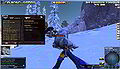
As soon as you have killed 3 Pygmy Chompers the objective gets completed the the next activated, which is "Return to Jimmy"
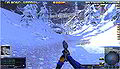
Jimmy is still located at the exit of Genesis Alpha Station, just as at the start of the mission
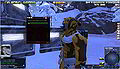
As soon as you approach Jimmy a dialogue pops up, click "Yes."
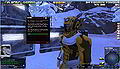
The mission gets completed and the dialogue continues with the next mission "Power Struggle"


Power Struggle
Mission page: Mission:Power Struggle
The dialogue is started as soon as completing the preceding mission "Pest Eradication", NPC Jimmy at (66732, 71382, 876).
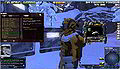
The objective is to locate an unpowered turret and replace the battery. To avoid you need to walk all the way you are given a car and fuel.
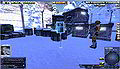
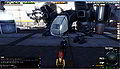
For further info regarding vehicles you can consult the Help Terminal or just the following images and instructions in this section.
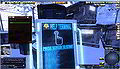
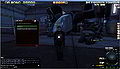
Help Terminal Menu
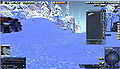
Vehicle How-to
The vehicle can be found in the inventory i) under the "Miscellaneous" tab.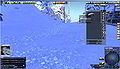
Vehicle How-to
Right-click it and choose "Spawn vehicle" from the dropdown.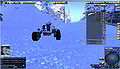
Vehicle How-to
The mouse pointer is replaced with the vehicle, move it to an appropriate place on the ground, if neccessary rotate it by pressing the right mouse button, spawn it by clicking the left mouse button.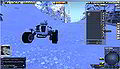
Vehicle How-to
The fuel (Oil) can be found in the inventory i) under the "Mined Resources" tab.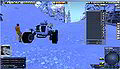
Vehicle How-to
To add fuel drag'n'drop the Oil icon from the inventory onto the spawned vehicle.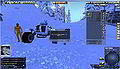
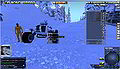
Vehicle How-to
Confirm by clicking the "Ok" button:
Vehicle How-to
To enter the vehicle right-click it and choose "Operate" from the dropdown, alternatively simply double click it.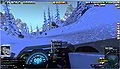
Vehicle How-to
Cars can be easily steered using W A S D - to exit the vehicle right-click anywhere and choose "Exit Seat" from the dropdown.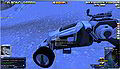
Vehicle How-to
To put the vehicle back into inventory right-click the spawned vehicle and choose "Pick up" from the dropdown.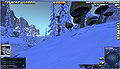
The unpowered turret can be found at (66843, 71384, 863)
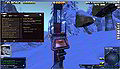
As soon as you approach the turret the mission is updated with a new objective ("Replace The Battery").
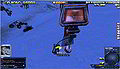
The battery can be found on the ground right at the turret, right-click it and choose "Operate" from the dropdown.
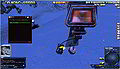
Click through the dialogue
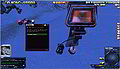
The mission gets completed (rewarded with Electonics skills) and the dialogue for the next mission "A Message From Yoshida" starts


A Message From Yoshida
Mission page: Mission:A Message From Yoshida


Unfinished Business
Mission page: Mission:Unfinished Business


To Camp Amundsen
Mission page: Mission:To Camp Amundsen


Analyzing The Sample
Mission page: Mission:Analyzing The Sample


Fuel My Fire
Mission page: Mission:Fuel My Fire


Another Message From Yoshida
Mission page: Mission:Another Message From Yoshida


Prospective Prospector
Mission page: Mission:Prospective Prospector
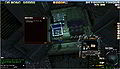
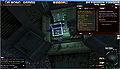
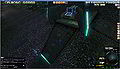
Help Terminal
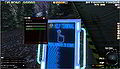
Help Terminal Mining Tutorial
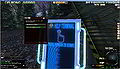
Help Terminal Mining Tutorial
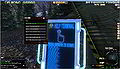
Help Terminal Mining Tutorial
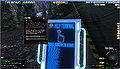
Help Terminal Mining Tutorial
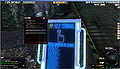
Help Terminal Mining Tutorial
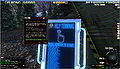
Help Terminal Mining Tutorial
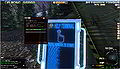
Help Terminal Mining Tutorial
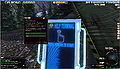
Help Terminal Mining Tutorial
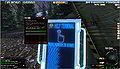
Help Terminal Mining Tutorial
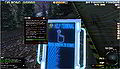
Help Terminal Mining Tutorial
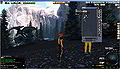
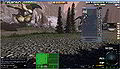
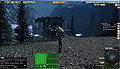
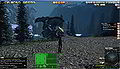
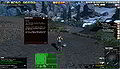
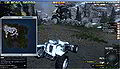
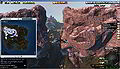
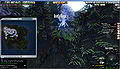
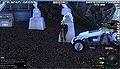
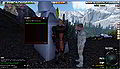
Rusty (67607, 69952, 734)
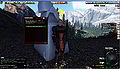
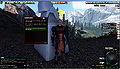
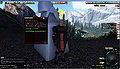
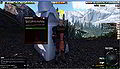


.jpg)


Rifles, Assemble
Mission page: Mission:Rifles, Assemble


Shooting Star
Mission page: Mission:Shooting Star


Inspect-A-Gadget
Mission page: Mission:Inspect-A-Gadget


That Others May Live
Mission page: Mission:That Others May Live


The Grand Finale
Mission page: Mission:The Grand Finale


Hangar Hangout
Mission page: Mission:Hangar Hangout

.jpg)


A New Beginning
Mission page: Mission:A New Beginning
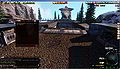
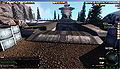
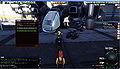
Recommended to further explore Calypso Gateway and try a few things
Doesn't take you to directly to Port Atlantis (PA) but to Camp Icarus (CI) south-east of PA.

.jpg)


Media
Images
Video
Funny but not recommended to do:
Links, references, contributors, categories
- Calypso Gateway (Forum section on entropiaplanets.com)
- Calypso Gateway (Old) - first version of the area before it was completely redesigned in VU ???
Contributors:
|